Error Alerts for Crons, Queues and More
Error alerts now cover failures outside your requests: failed cron runs, workflows, dead-lettered queue messages, inbound email, auth hooks and production deploys. Each failure also shows in your project's logs and issues. In beta on every plan.
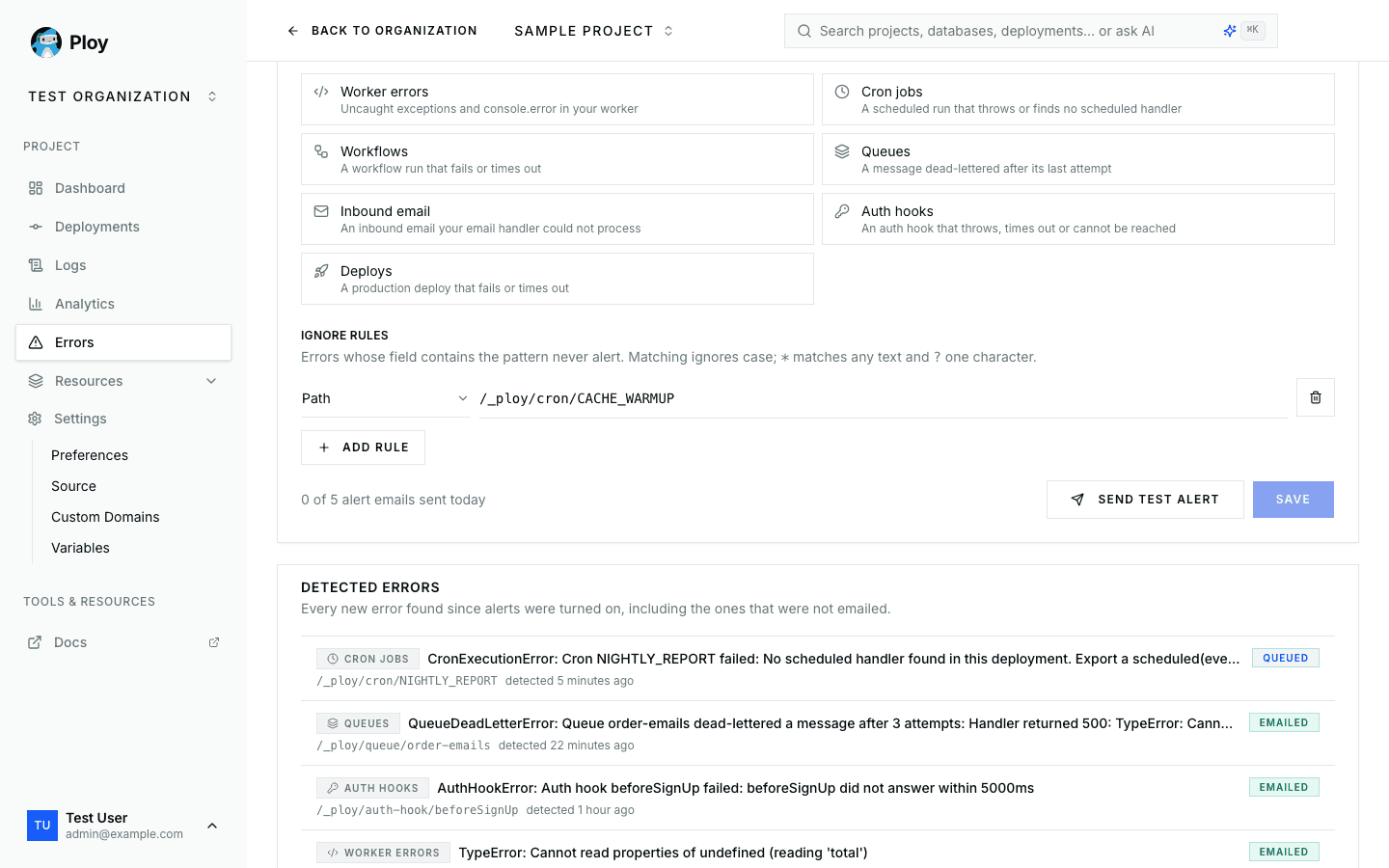
A cron job could fail on every tick for hours without anyone hearing about it: a failed run was recorded in the cron history, but never reached the project's logs, so error alerts never saw it. Error alerts now cover every part of Ploy that runs your code outside a request.
What alerts now
| Source | Alerts when |
|---|---|
| Cron jobs | A run throws, answers with an error, or the deployment has no scheduled handler |
| Workflows | A run fails or times out |
| Queues | A message is dead-lettered after its last attempt |
| Inbound email | Your email handler fails to process a received email |
| Auth hooks | A before or after hook throws, times out or can't be reached |
| Deploys | A deploy of the production branch fails or times out |
These work like the errors your code throws: each failure alerts once, new ones arrive together in one email, and the daily limit and ignore rules apply. Cron, workflow, queue and auth hook failures are grouped by name and error, so the same error in two cron jobs is two alerts.
In your logs too
Each failure is logged to the project as an error with a type that names it, such as CronExecutionError: Cron NIGHTLY_REPORT failed: …, so it also shows on the Logs and Issues tabs. These logs are not billed. The Alerts tab lists the covered sources and tags each detected error with where it came from, and the CLI can filter by source:
ploy api project error-alerts history <projectId> --source cron
ploy api project error-alerts history <projectId> --source cron
Nothing to turn on: projects with error alerts enabled get the new sources automatically. Error alerts are in beta and available on every plan.